Make room
for what you love.
Measure your wall, arrange the frames you already own, and get the exact spot for every nail.
Download on theApp StoreFree to try. One-time Pro unlock, no subscription.
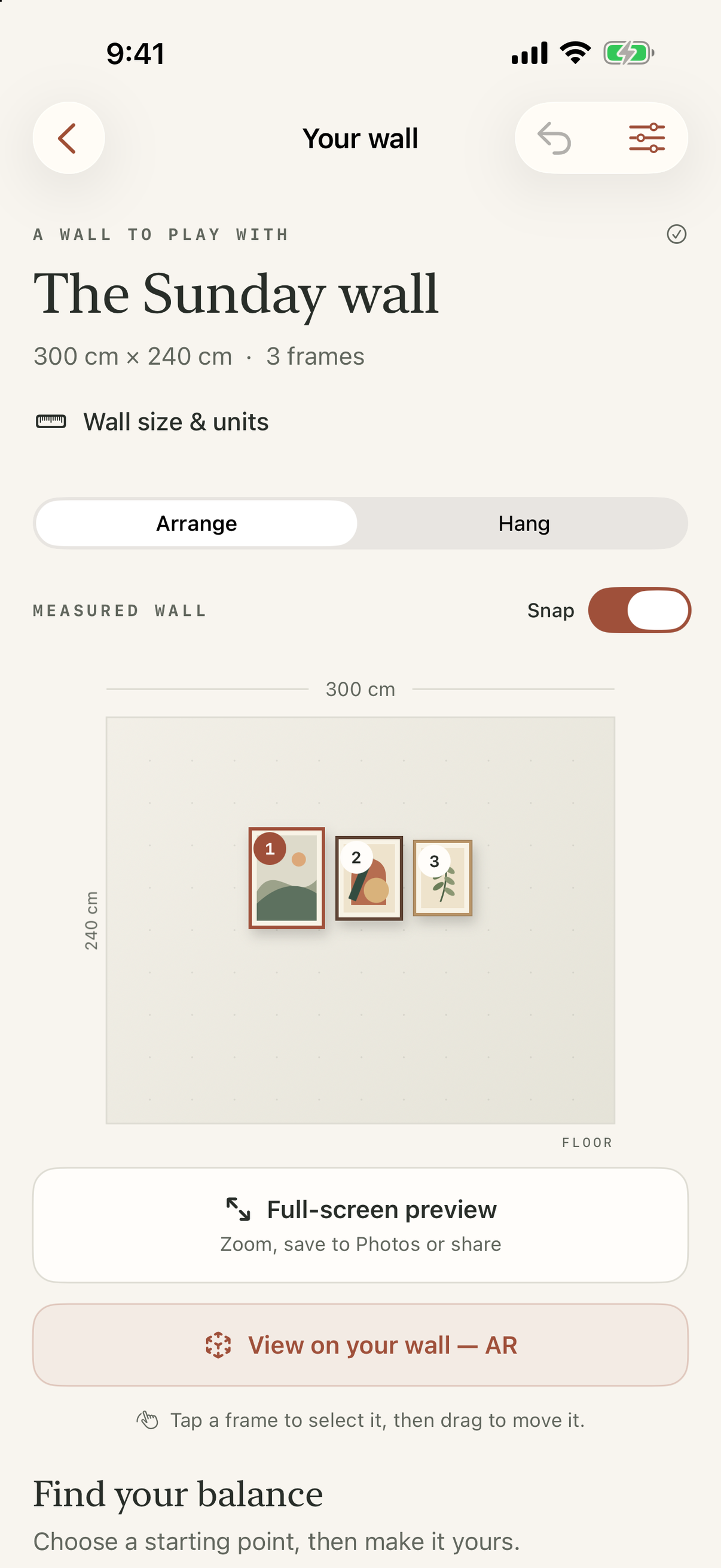
Hanging a gallery wall is a measuring problem.
WallHang solves the measuring part, so the design part stays fun.
Measure
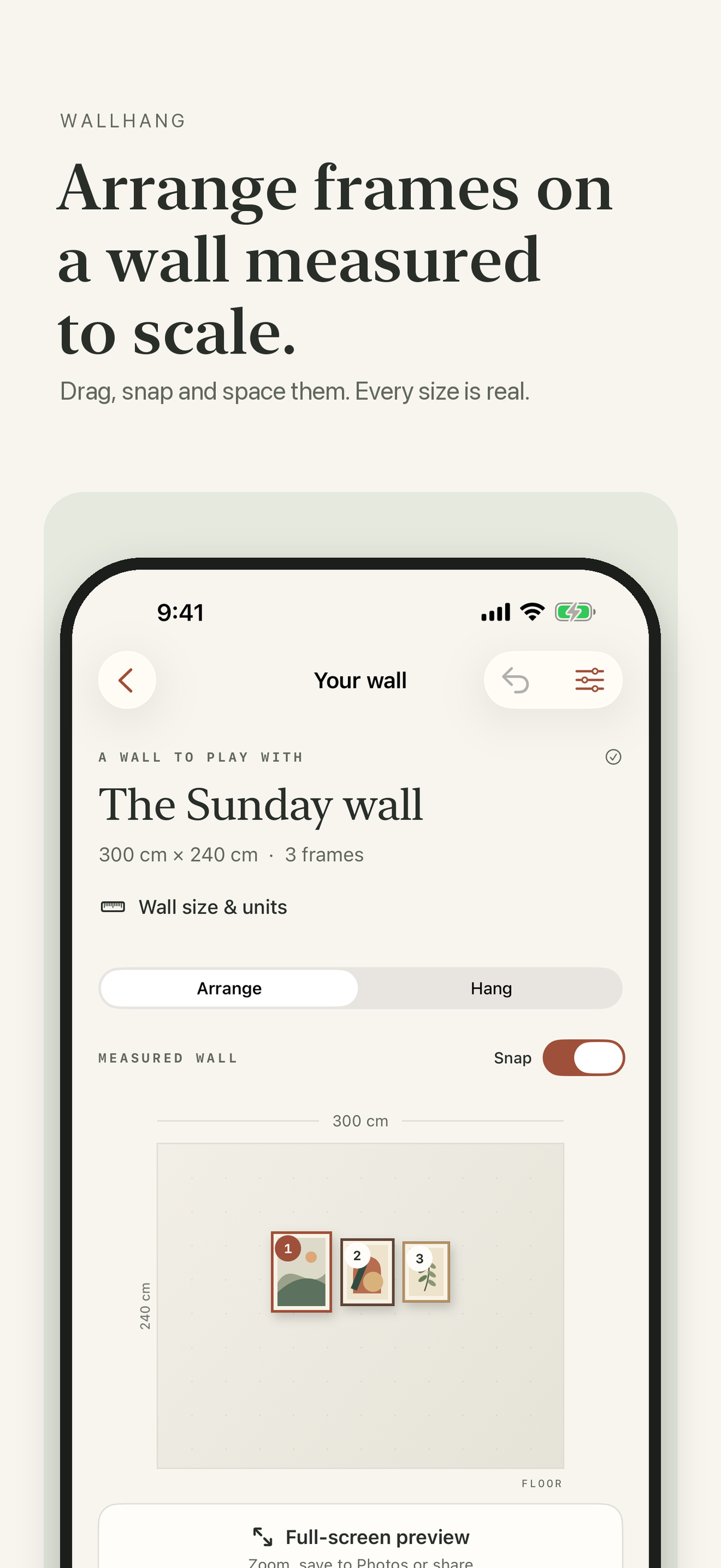
Enter your wall in centimeters or inches and add frames by their real outside size, or pick a common one.
Arrange
Start from a linear, gallery or salon layout, then drag, snap and space the frames until it looks right.
Hang
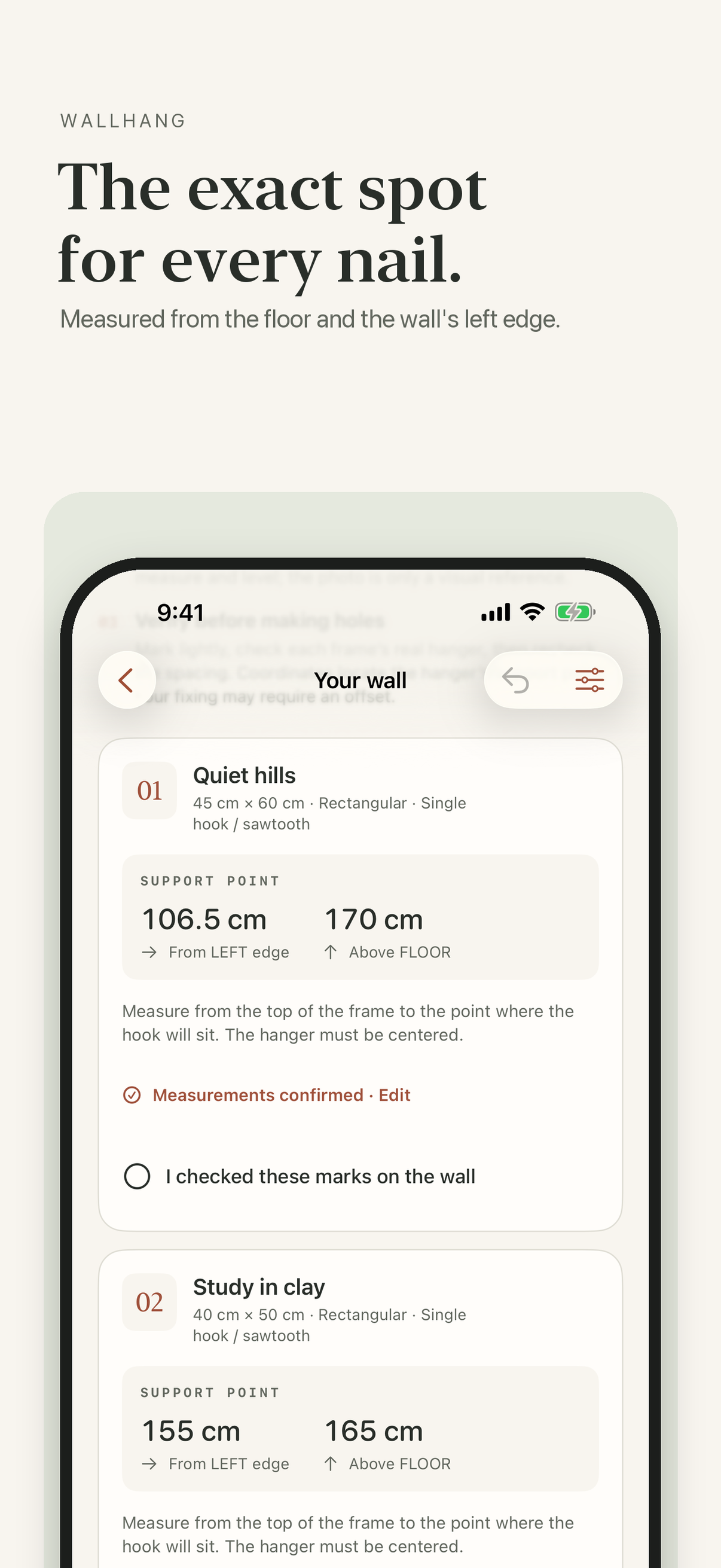
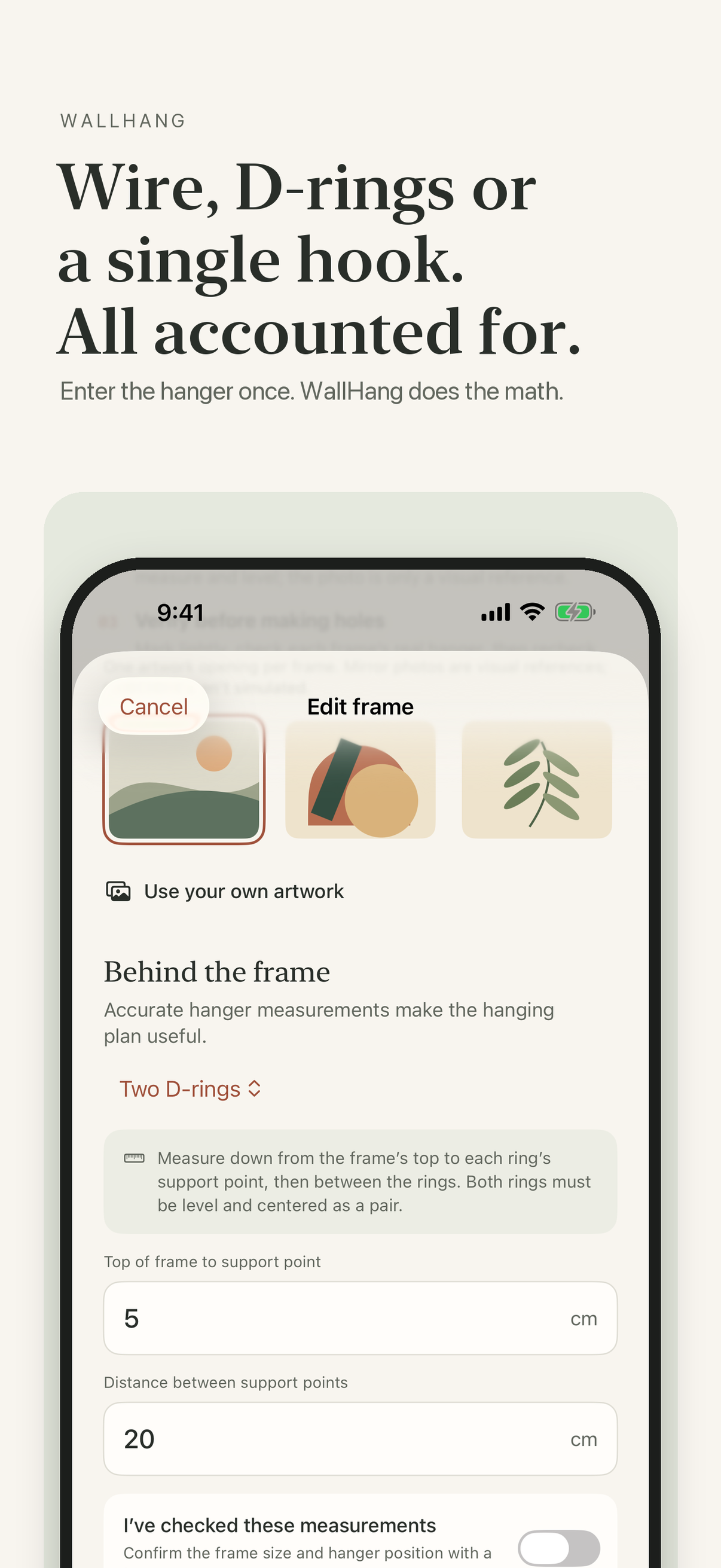
Set each frame's hanger and get support-point coordinates from the floor and the wall's left edge. Mark, check, hang.
Free to plan. Pro to go further.
No account, no ads, no tracking. Everything stays on your iPhone.
Free
- One wall, up to four frames
- Linear, gallery and salon layouts
- Measured hanging plan on screen
- Full sample wall with every feature unlocked
WallHang Pro
- Unlimited walls
- Up to 12 frames per wall
- PDF measurement sheet to print or share
- AR preview on your real wall
- Shared with your family via Family Sharing
Photos and AR previews are visual references, not measuring tools. WallHang's coordinates locate each hanger's support point from the measurements you enter; verify marks on the wall before drilling and choose fixings suited to your wall and frame weight.